

Visit: https://myemail.ucdenver.edu and type in your university email address.
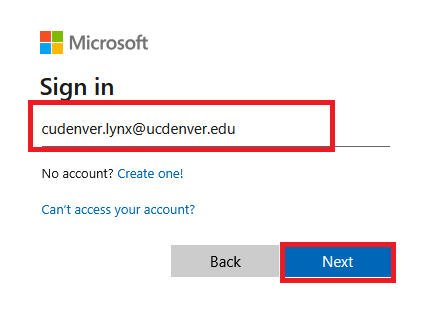
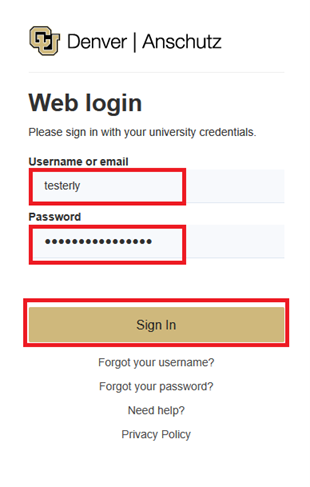
You will be redirected to the university's secure Single Sign On (SSO). Enter in your university username and password and click "Sign In".
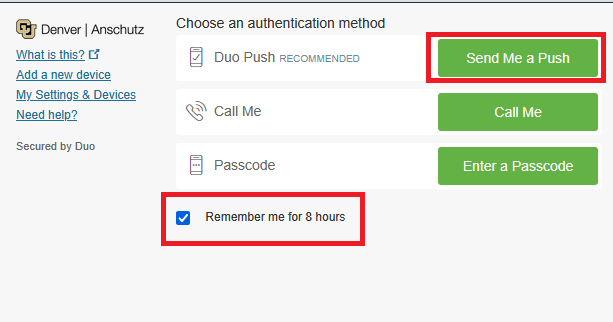
You will be prompted for a DUO Push. Complete this to finish authenticating.
Tip: If you are using a personally-owned computer (as opposed to a computer lab, library or public device), click the “Remember me for 8 hours” box.
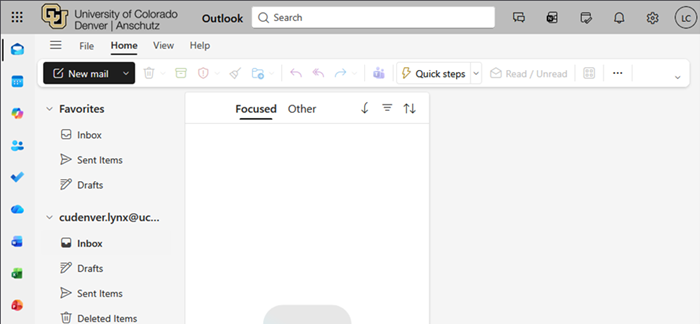
You can now access your university email.
If you are unable to login to your email, visit CU Denver Account Management page and to troubleshoot. Here you can reset your password, retrieve your username, and fix issues with DUO.
If you visit https://myemail.ucdenver.edu and you are already logged in to another account, follow these steps:
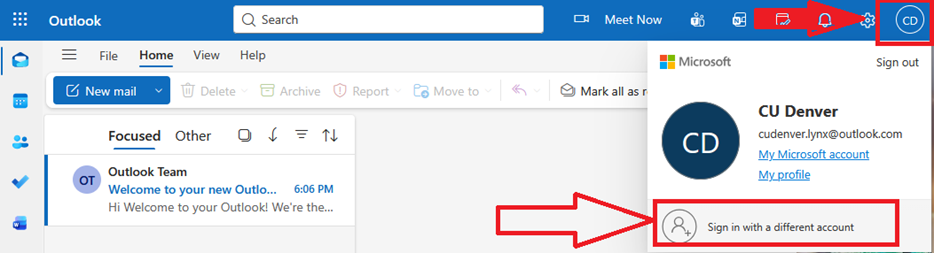
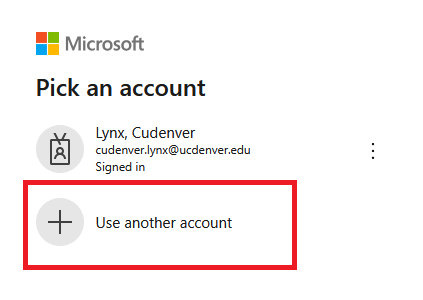
If you are still having issues accessing your email, please contact the Service Desk at 303-724-4357.
Before you can access your university-provided email account, you need to make sure you have completed these steps:
Before accessing your email, make sure you follow these steps to claim your account.
If you have any additional questions about managing your university account or resetting your password, please contact the Service Desk.

303-724-4357 (4-HELP)
7:30 a.m. - 6 p.m., M - Th
7:30 - 5 p.m., Fri

Submit a ticket
Email the Service Desk
24/7 access to the Service Portal