

To claim your account, visit https://myaccount.ucdenver.edu
This will bring you to the Claim Account portal.
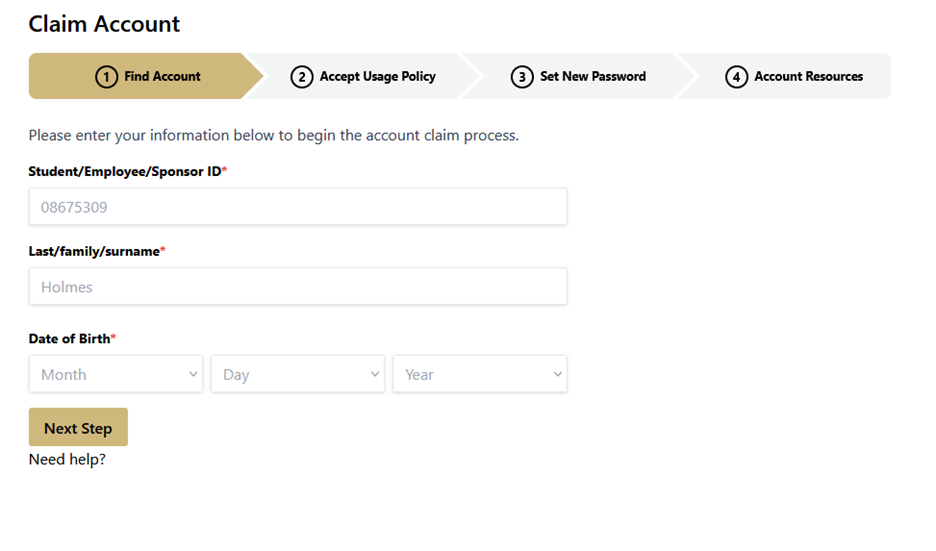
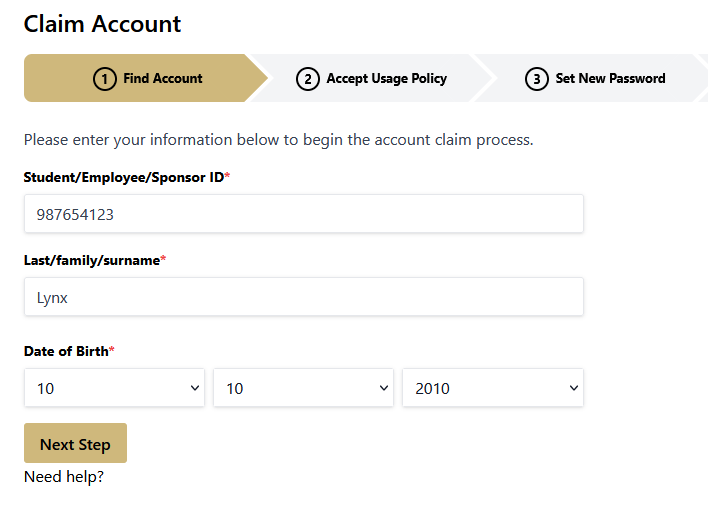
Follow the instructions on the page. Enter your SID, Last Name, and Date of Birth.
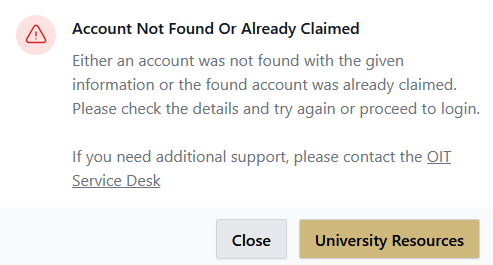
If your account was not found or if it was already claimed, you will receive an error message. More information on what to do can be found in the Troubleshooting section of this webpage.
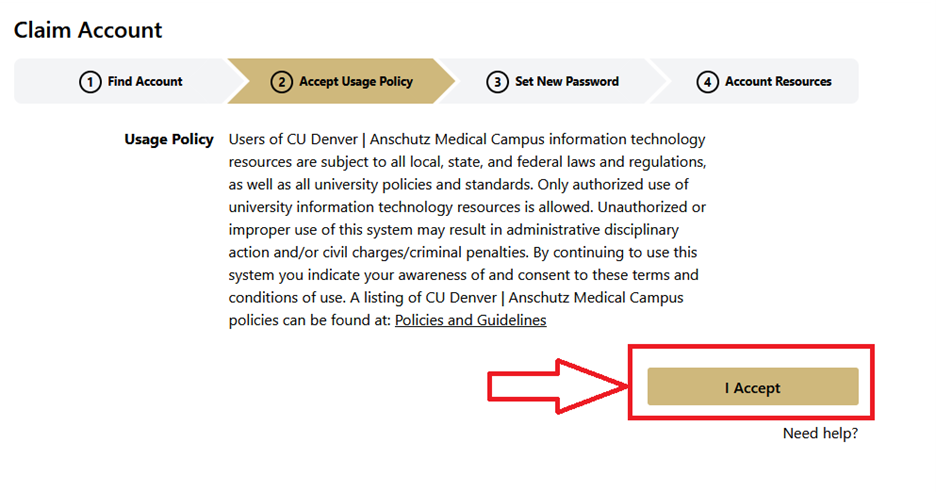
Read and accept the usage policy.
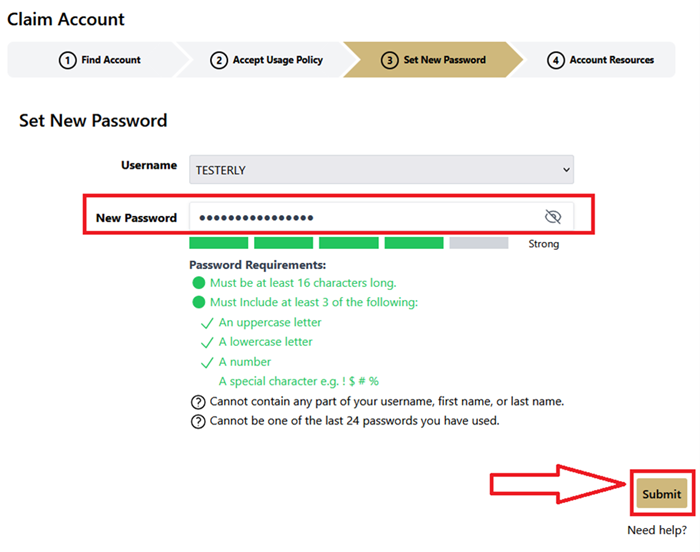
Set your new password or passphrase that you will use to access your account and click "Submit".
Note: Your password must meet all the requirements before you can submit.
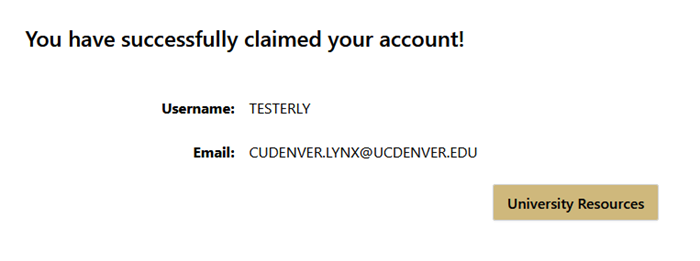
After you Submit, you will have successfully claimed your account.
Note: Before proceeding, make note of your username and email. You will need these, along with your new password, to access university resources.
If you receive this error when claiming your account, try the following steps:
To quickly and smoothly claim your university account, please check that you have your Student ID Number (SID) on hand.
If you cannot find your SID in your Offer of Admission, please contact the Office of Admissions at 303-315-2601.
If you have forgotten your password or username, the process for resetting your password has gotten easier! Whether you have a Mac or a PC, the process is the same for all users.
To reset your forgotten password or username, visit our password reset webpage.
Now that you have claimed your account, access your university email and get started.
Access Email Process
If you have any additional questions about managing your university account or resetting your password, please contact the Service Desk.

303-724-4357 (4-HELP)
7:30 a.m. - 6 p.m., M - Th
7:30 - 5 p.m., Fri

Submit a ticket
Email the Service Desk
24/7 access to the Service Portal