Before You Begin
Important: Beginning August 17, 2026, all exam requests must be submitted through Accommodate at least 3 business days before your exam. Requests submitted fewer than 3 business days in advance will not be approved.
Students are expected to schedule exams at the same date and time as their class whenever possible. If you need to test at a different date or time, you must discuss this with your instructor before submitting your request.
If you have questions or issues while booking your exam, please reach out to
a[email protected] for support.
How to Schedule Exams & Quizzes
Step 1
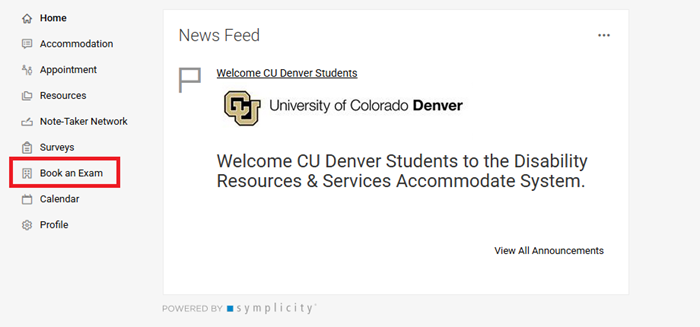
Log in to Accommodate and select Book an Exam from the left-hand menu. (This option is only available to students approved for testing accomodations.)
Step 2
Click "New Booking Request". This will open the form for you to complete with your exam information.

Step 3
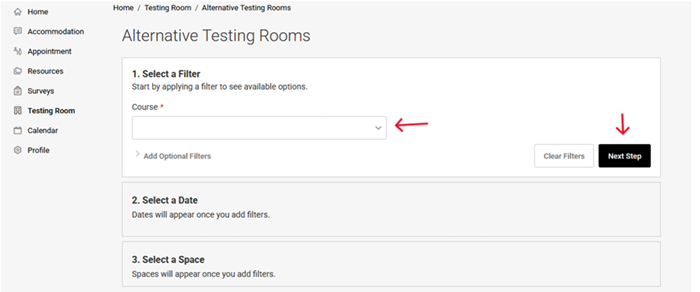
Select the correct course from the drop-down list and then click “Next Step”.
If you do not see your course, please email [email protected] or call (303) 315-3510.
Step 4
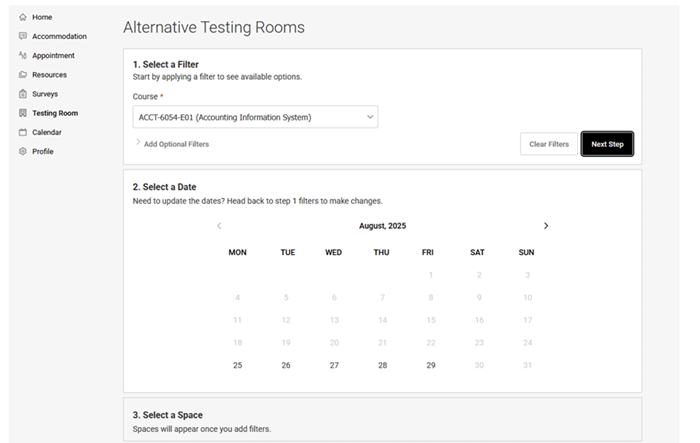
Select the day of your exam. Please select only the date your exam is scheduled, unless your instructor has approved an alternate testing date.
Step 5
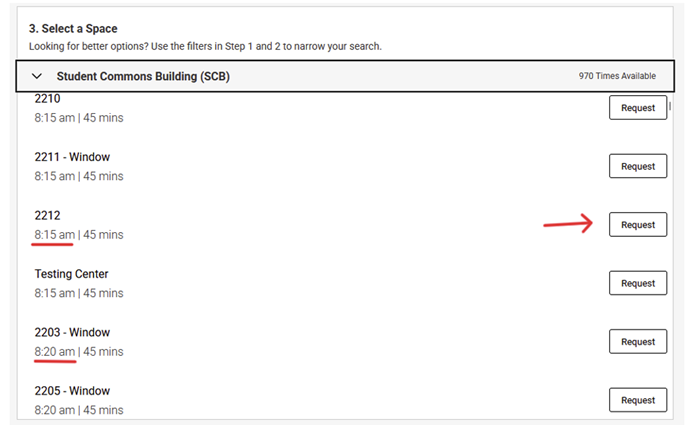
Once you have selected the date, click "Student Commons Building (SCB)"

Step 6
Select the testing room and time for your exam. Scroll to your scheduled testing time and choose a room that matches your approved accommodations. Once you have selected the correct room and time, click “Request.”
Step 7
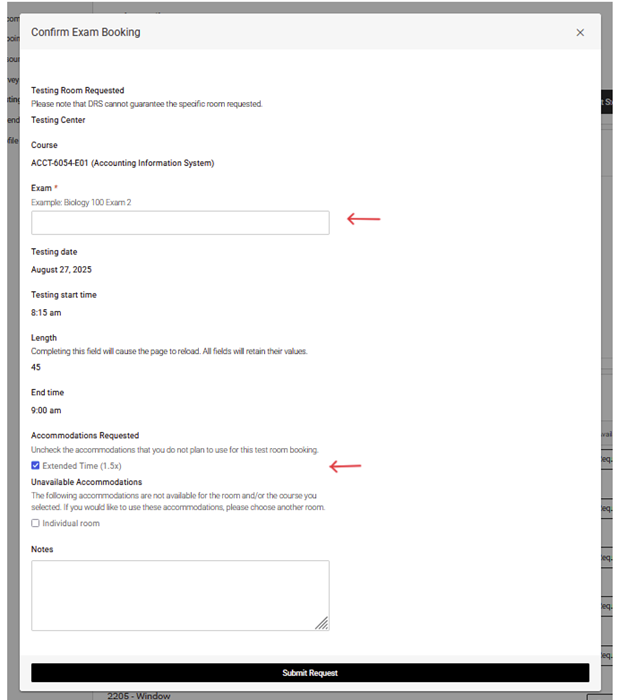
On the confirmation page, enter the name of your exam and make sure the appropriate accommodations are selected before clicking “Submit Request.” If any accommodations are listed as unavailable, please disregard that message as they are still available for your exam.